How to send SMS ?
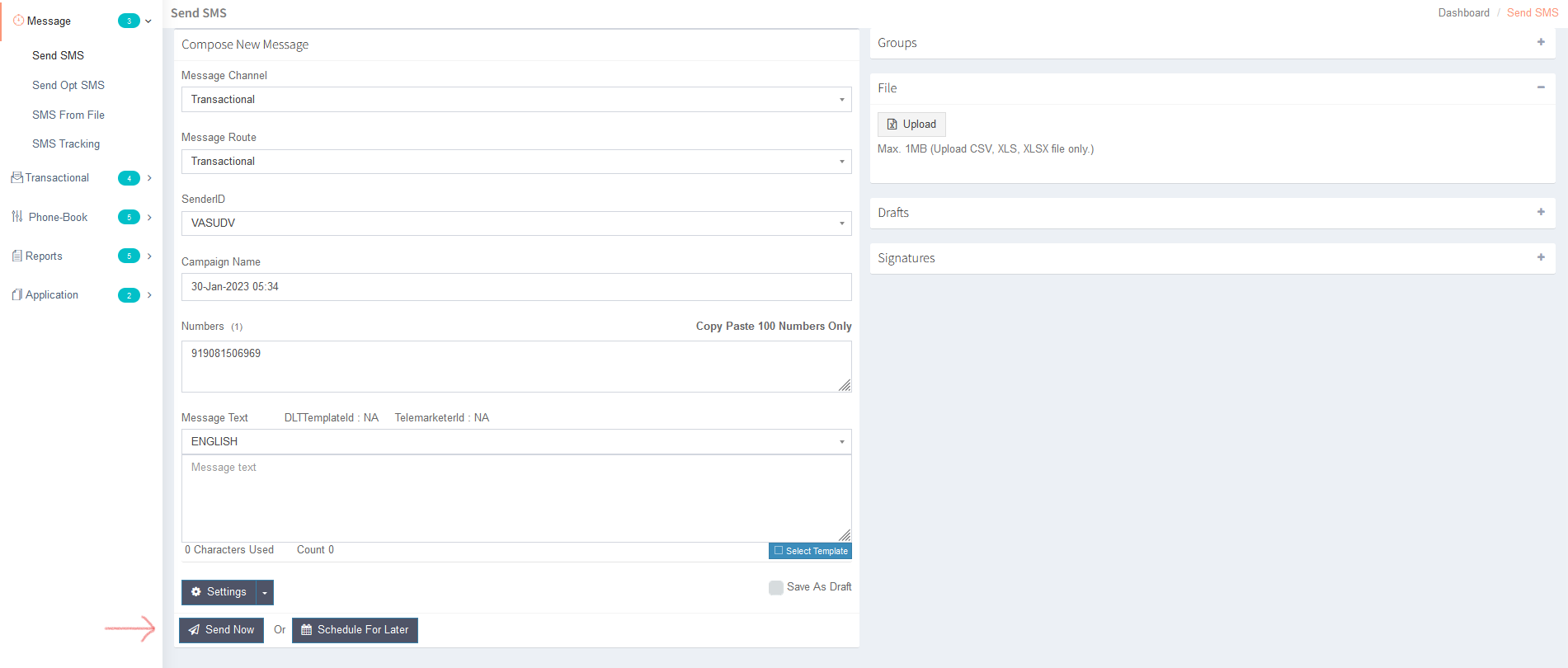
Follow below image Steps for to send SMS or for the campaign.
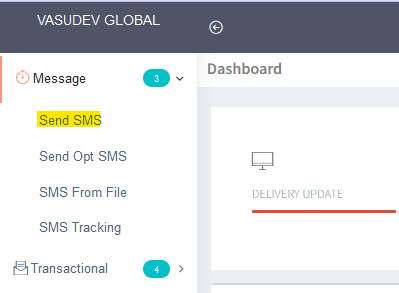
Step 1 : Click on message and select send SMS
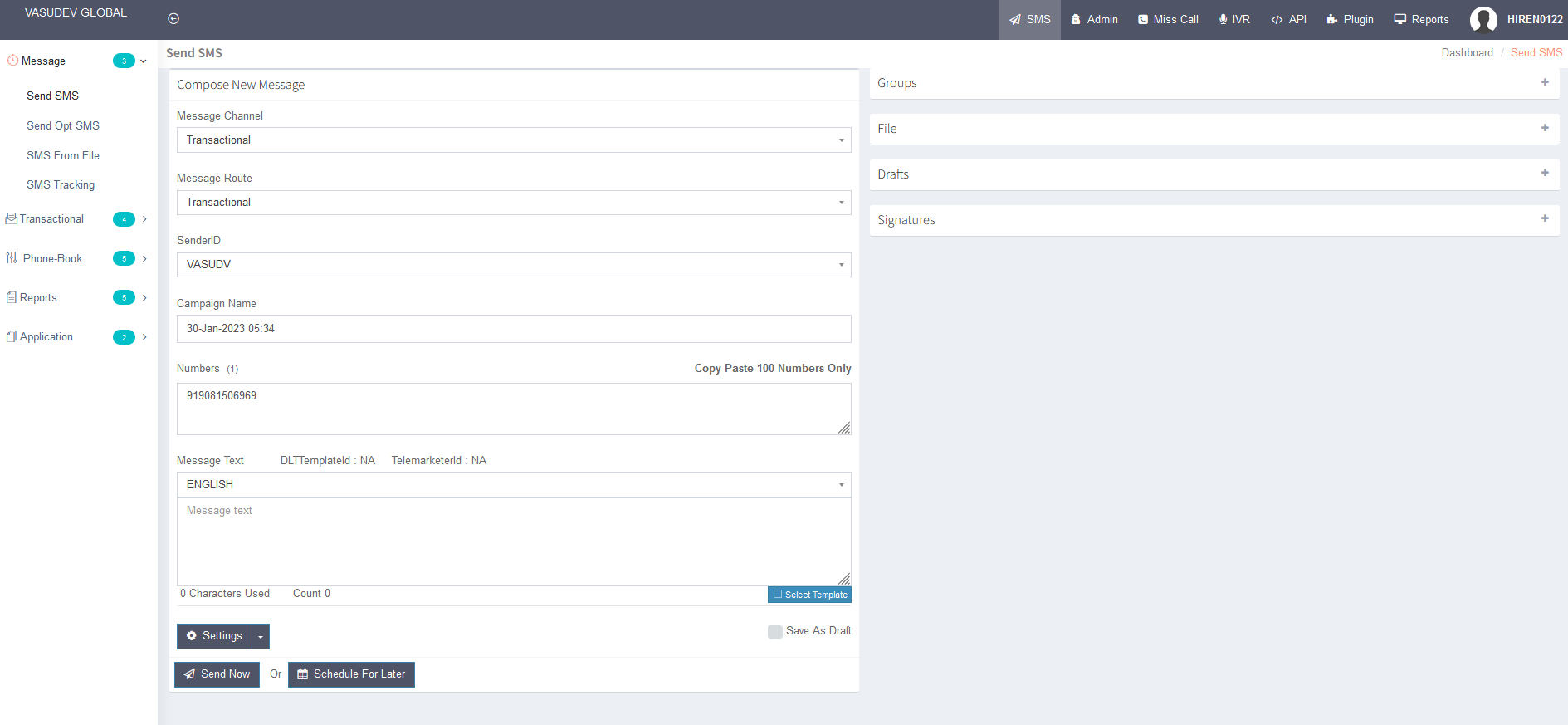
Step 2 : Fill out the required details. ex: check below image
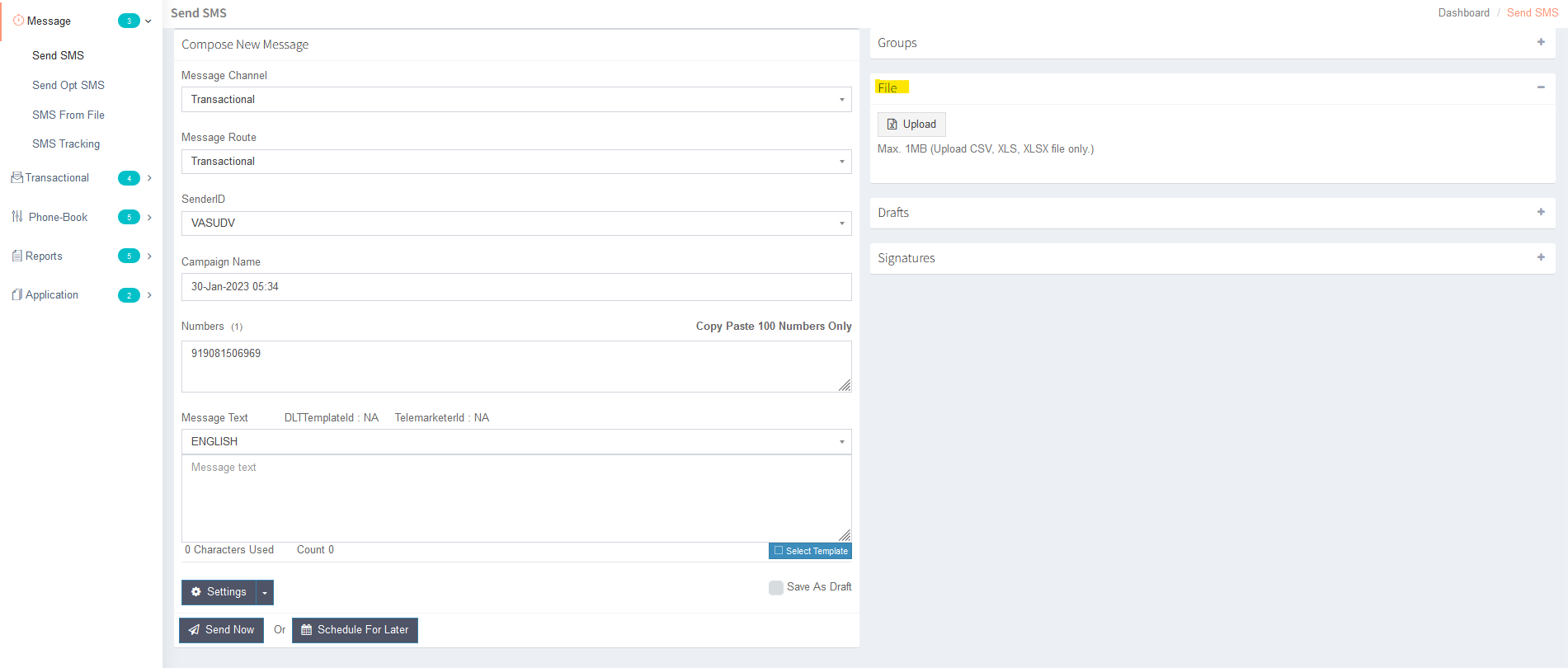
Step 3: For campaign file upload select on file option and upload your campaign number file.
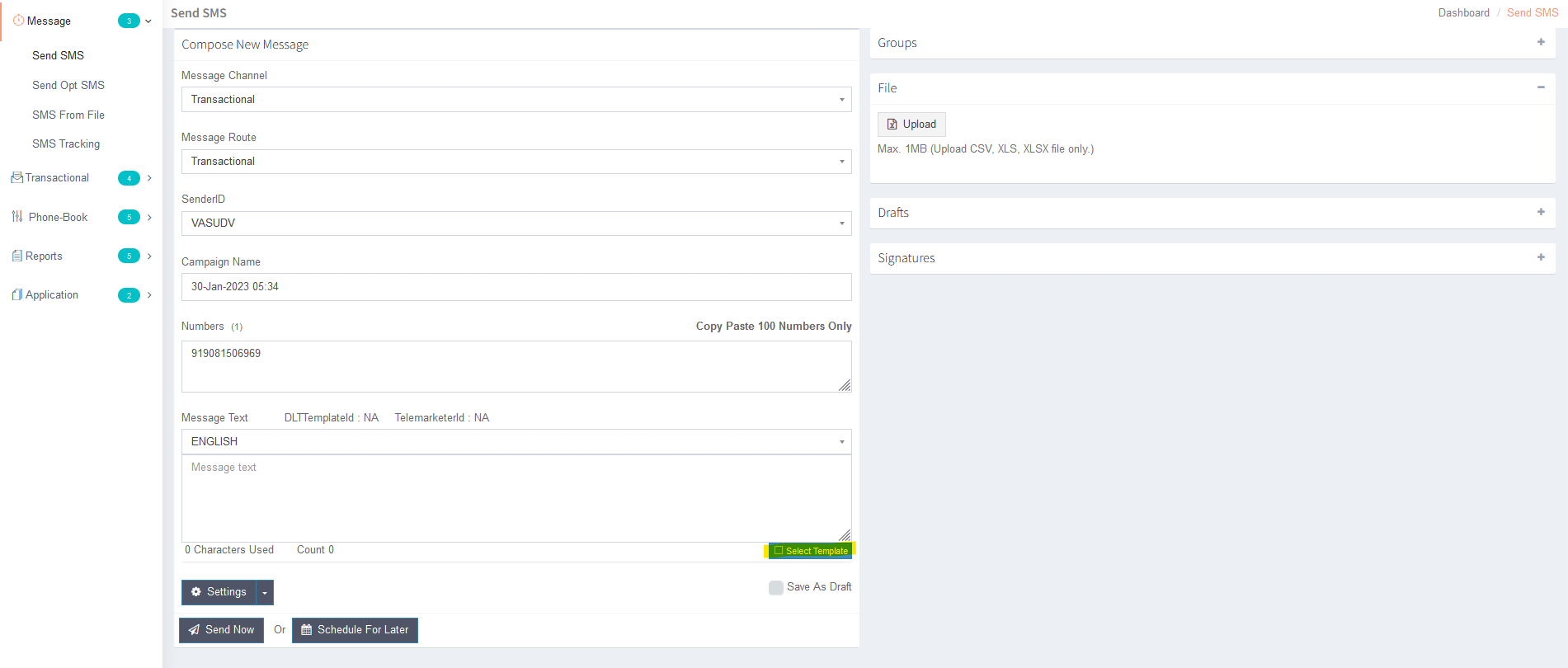
Step 4: For your approved template select on select template.
Step 5: Click on below button for send SMS.
Note : If you still have any questions. please contact us on +919081466969 Ext - 3. We are happy to help.
Step 1 : Click on message and select send SMS
Step 2 : Fill out the required details. ex: check below image
Message Channel | Transactional |
Transactional | |
SenderID | Your Approved SID |
Campaign name | Type any name it's just for your identification |
Number | Your Testing Number |
Message Text | Your approved template |
Step 3: For campaign file upload select on file option and upload your campaign number file.
Step 4: For your approved template select on select template.
Step 5: Click on below button for send SMS.
Note : If you still have any questions. please contact us on +919081466969 Ext - 3. We are happy to help.